Website Blockers: Do They Actually Improve Focus?
- digital-wellbeing
- focus
- chrome-extension
🚀 Key Takeaways
Short-term yes, long-term maybe: Website blockers reduce immediate distractions—but hard restrictions often trigger reactance, bypass hunting, and dependency instead of lasting habit change.
Built for binary rules: Most blocking software treats access as all-or-nothing, which conflicts with knowledge work that still needs the internet for DMs, tutorials, and research.
Friction over lockout: Digital friction—golden windows, calm pauses, and intentional speed bumps—preserves autonomy while interrupting impulsive browsing, making it a more sustainable alternative for deep work.
In today's hyper-digital world, staying focused can feel increasingly difficult. For developers, engineers, designers, writers, and other knowledge workers, distractions are no longer occasional interruptions — they are part of the environment.
Website blockers have become one of the most popular tools for reducing distractions and improving productivity. But while blocking distracting websites may create short-term focus, many users eventually discover that hard restrictions alone rarely lead to sustainable behavioral change.
This article explores what website blockers are, how website blocking software works, the pros and cons of app and website blockers, why many blockers fail over time, and why behavioral friction may offer a more sustainable alternative for deep work and digital wellbeing.
What Is a Website Blocker?
A website blocker is a tool that restricts access to specific websites, apps, or online services that users consider distracting or unproductive.
Website blockers are commonly used to:
- reduce social media use,
- avoid YouTube or Reddit rabbit holes (for developers who need tutorials, see how to watch a coding tutorial without the rabbit hole),
- improve concentration during work,
- support deep work sessions,
- and reinforce healthier digital habits.
Most website blockers are available as:
- browser extensions,
- desktop apps,
- mobile apps,
- or network-level filtering tools.
Some tools also combine website blocking with Pomodoro timers, productivity analytics, screen time monitoring, or focus modes.
How Do Website Blockers Work?
Website blocking software typically works in one of several ways.
Browser Extensions
Browser-based blockers monitor URLs and prevent access to selected websites directly inside the browser.
Examples include blocking social media, redirecting distracting pages, or limiting daily usage time. This is the most common approach because it is easy to install and customize.
Hosts File Modification
Some blockers modify the computer's hosts file to redirect requests for certain websites to invalid local addresses.
This approach works system-wide and can block distracting websites across browsers. However, technically skilled users can usually reverse these changes quickly.
DNS and Network-Level Blocking
More advanced website blockers use custom DNS filtering, firewalls, or network-level routing rules.
These methods are harder to bypass and are often used in enterprise environments, schools, or parental control systems.
Pros of Website Blockers
Website blockers can be highly effective in specific situations.
Immediate Reduction of Distractions
The biggest advantage is instant restriction. Removing easy access to distracting websites often creates an immediate productivity boost.
For people struggling with habitual checking behaviors, even temporary interruption can help restore focus.
Better Deep Work Sessions
Many professionals use website blockers during coding, writing, research, or creative work. Reducing context switching can improve concentration and increase uninterrupted deep work time.
Customization and Scheduling
Modern productivity apps often allow users to schedule blocking periods, customize blocklists, whitelist work-related sites, and create different focus modes. This flexibility helps adapt blockers to different workflows.
The Main Problems With Website Blockers
Although website blockers can help in the short term, they also introduce several psychological and practical limitations.
Psychological Reactance
When people feel their autonomy is restricted, they often experience psychological reactance — a motivational response that increases the desire for the restricted behavior.
In practice, this means users obsess over blocked websites, distractions become more tempting, and focus tools themselves become stressful. Hard restrictions can unintentionally increase the emotional pull of distractions.
For a deeper look at why this happens, see Do app blockers work?.
Most Website Blockers Are Easy to Bypass
Many users eventually disable extensions, switch browsers, use private mode, or edit system settings. For technically skilled users, bypassing blockers often becomes trivial.
This creates an unhealthy cycle:
[ Install blocker ] → [ Feel productive briefly ] → [ Override restrictions ] → [ Repeat ]
Dependency Instead of Self-Regulation
Over time, excessive reliance on blocking tools can weaken intentional digital behavior. Instead of learning how to manage attention consciously, productivity becomes dependent on external enforcement.
This is one reason many users repeatedly search for "best website blocker," "strongest app blocker," or "website blocker that cannot be bypassed." The underlying behavioral pattern often remains unchanged.
Why Website Blockers Often Fail Long-Term
Website blockers are built around binary thinking: access or no access, allowed or forbidden, productive or distracting. But human attention rarely works that way.
Knowledge work often requires temporary exploration, communication, context switching, and moments of mental recovery. Completely eliminating access can conflict with natural cognitive rhythms.
This is especially true for developers, researchers, designers, and creatives whose workflows depend on the internet itself. For a deeper breakdown of why enforcement models break down, read App blockers are built to fail.
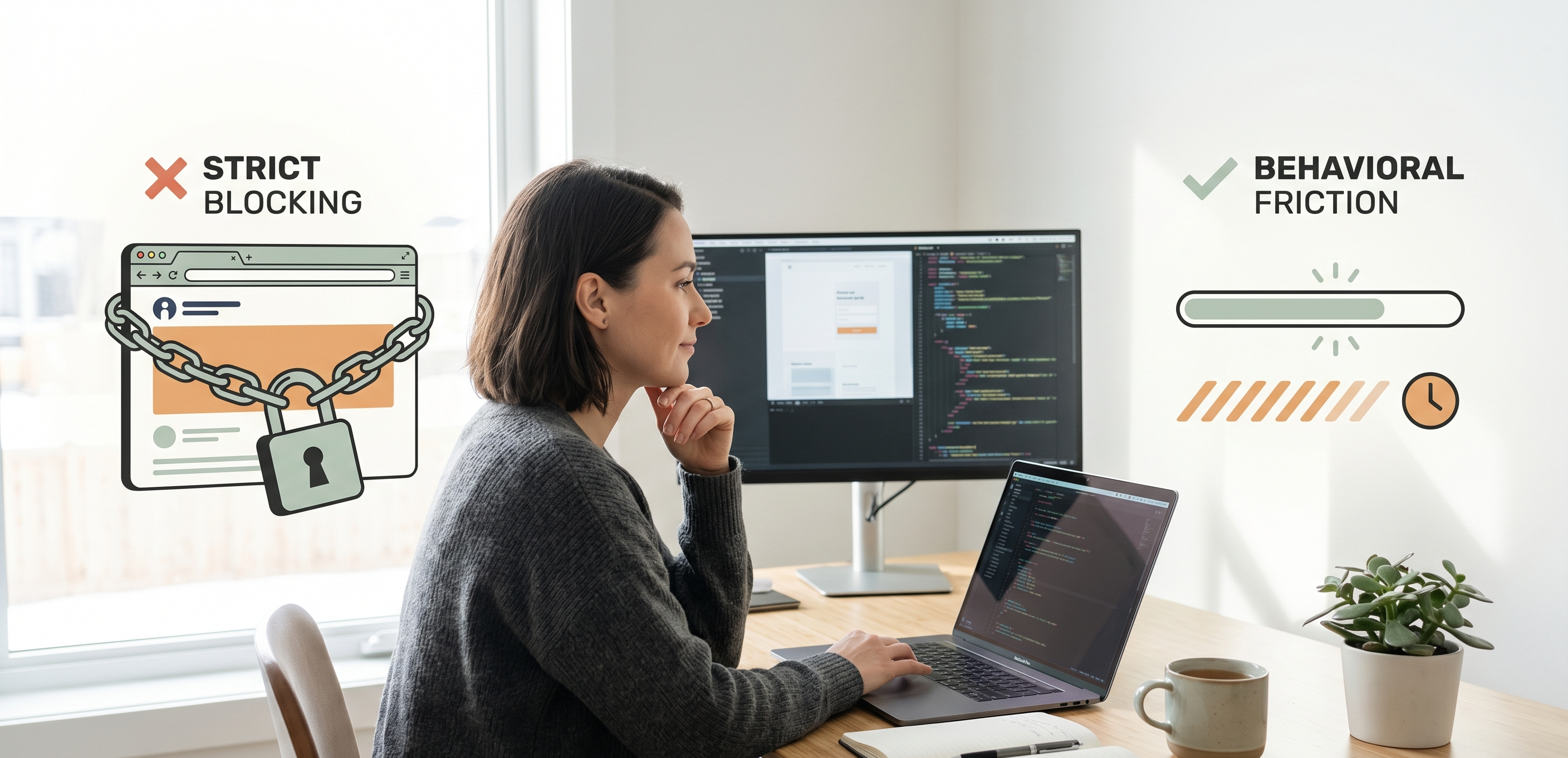
Website Blockers vs Behavioral Friction
An alternative approach is behavioral friction. Instead of completely blocking websites, behavioral friction introduces small inconveniences that interrupt impulsive behavior without removing user autonomy.
Examples include brief breathing pauses, golden windows of normal use followed by a calm overlay, reduced autoplay responsiveness, or temporary slowdown periods.
The goal is not punishment. The goal is to create a brief pause between impulse and action.
| Approach | Short-Term Focus | Long-Term Habit Change | User Autonomy |
|---|---|---|---|
| Hard website blocking | High | Often weak | Low |
| Time limits | Moderate | Moderate | Moderate |
| Behavioral friction | Gradual | Stronger potential | High |
Why Behavioral Friction Works
Behavioral friction works because many distracting behaviors are impulsive rather than intentional. Opening social media often happens automatically during difficult work, moments of boredom, cognitive fatigue, or task switching.
A small interruption creates enough space for the brain to reconsider the action. Unlike hard blocking, friction-based systems preserve user control, reduce rebellion against restrictions, and integrate more naturally into real-world workflows.
This aligns closely with principles from digital minimalism and intentional technology use. See focus with intentional friction for the psychology behind this approach, and premium dumbphone in your pocket for minimalism without extra hardware.
Digital Minimalism and Intentional Technology
Digital minimalism encourages people to use technology deliberately rather than reactively. The objective is not total disconnection. Instead, it focuses on reducing low-value digital noise, increasing intentional behavior, and protecting time for meaningful work.
For many professionals, the problem is not the internet itself — it is unconscious, compulsive usage patterns. This distinction matters.
A productive digital environment should support autonomy, clarity, deep work, and sustainable focus.
An Alternative to Traditional Website Blockers
One emerging alternative is friction-based focus tools such as SlowDwn. Instead of fully blocking websites, SlowDwn adds intentional friction: a golden window of normal use, then a calm pause—a breathing overlay in the browser, or a soft pause / Screen Time-style shield on phone.
This reduces impulsive browsing behavior while still allowing necessary access for communication, research, and intentional online activity. Start free as a Chrome extension (1 service without an account, or 3 with a free account); iOS and Android are in beta.
Golden window, then calm pause (not a timed free pass)
One useful concept is the dimmer switch: a golden window of normal use, then a calm pause—enough to break autopilot without denying access. Miss a day and the program holds; there are no streaks.
This approach acknowledges that productive internet use is often necessary. Rather than treating all usage as harmful—or promising a short unrestricted free pass—it applies a speed bump after intentional use, then evolves friction across four unlearning phases.
Compare the models side by side on SlowDwn vs website blockers.
Practical Tips for Reducing Digital Distractions
Whether using a website blocker or behavioral friction, long-term focus improves most when combined with intentional habits.
1. Audit Your Digital Habits
Identify which websites consume the most attention, when distractions happen, and what emotional states trigger them. Awareness often reveals patterns more effectively than strict blocking.
2. Reduce Friction Gradually
Avoid extreme restrictions immediately. Small behavioral adjustments are usually more sustainable than aggressive digital detox strategies.
3. Design Better Work Environments
Deep work becomes easier when notifications are minimized, workspaces are uncluttered, and focus sessions are planned intentionally. Attention is heavily influenced by environment design.
4. Plan Intentional Breaks
Distraction often increases when the brain lacks recovery time. Short intentional breaks can reduce compulsive browsing and improve cognitive endurance.
Are Website Blockers Effective?
Yes — but mostly as short-term interventions.
Website blockers can interrupt compulsive behavior, improve temporary focus, and help users regain awareness of their habits. However, long-term digital wellbeing usually requires intentional behavior, sustainable systems, and healthier relationships with technology.
For many knowledge workers, behavioral friction may ultimately prove more effective than rigid restriction.
FAQ
What is the best website blocker alternative for knowledge workers?
The best tool depends on your goals. Some users prefer strict blocking tools, while others prefer softer approaches that reduce distractions without removing autonomy.
If you primarily want sustainable focus rather than strict enforcement, a behavioral-friction Chrome extension—golden window then calm pause, plus phone beta for the feeds that follow you off the desk—may be a better fit than another hard lockout.
Can website blockers be bypassed?
Yes. Most website blockers can eventually be bypassed through disabling extensions, changing browsers, VPNs, or system-level configuration changes. This is one reason long-term effectiveness can vary significantly.
Do website blockers improve productivity?
They often improve short-term productivity by reducing immediate distractions. However, sustainable productivity usually depends on work environment design, intentional habits, energy management, and behavioral awareness.
What is behavioral friction?
Behavioral friction introduces small obstacles that interrupt impulsive digital behavior without completely removing access. Examples include golden windows, calm pauses, and reduced responsiveness. The purpose is to encourage intentional decision-making rather than enforce strict prohibition.
Conclusion
Website blockers can be useful tools for reducing distractions and protecting focus. But hard blocking alone rarely solves the deeper behavioral patterns behind compulsive digital habits.
For developers, creatives, engineers, and other knowledge workers, sustainable focus often requires a more nuanced approach — one that balances productivity with autonomy.
Behavioral friction and digital minimalism offer an alternative model: not eliminating technology, but using it more intentionally.
By creating systems that support awareness rather than rigid restriction, professionals can reclaim their "Time to Think" and build healthier long-term relationships with digital work.
Try SlowDwn today—behavioral friction for browser and phone that preserves access while breaking the autopilot loop.